To view the interview results on every candidate, go to Recruiting > Job Openings. Select the job opening and open the Actions dropdown and click Ranking. On the Candidate Ranking page, you can see the list of candidates that are assigned to this job opening and their average interview and assessment scores together with the total score. Also, you can see the list of interviewers and the interview results that were entered during the recruiting process. The candidates are displayed on the basis of the total score results.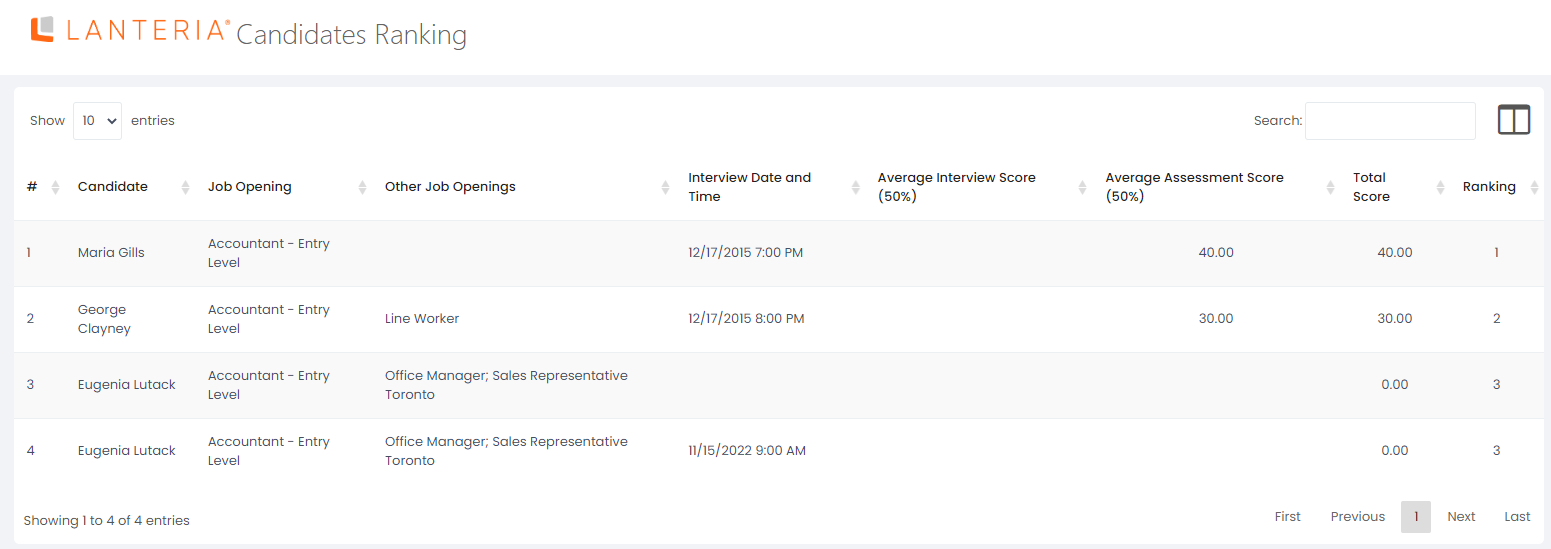
Interview Ranking
- Published on Feb 23, 2023
- 1 minute(s) read
Was this article helpful?