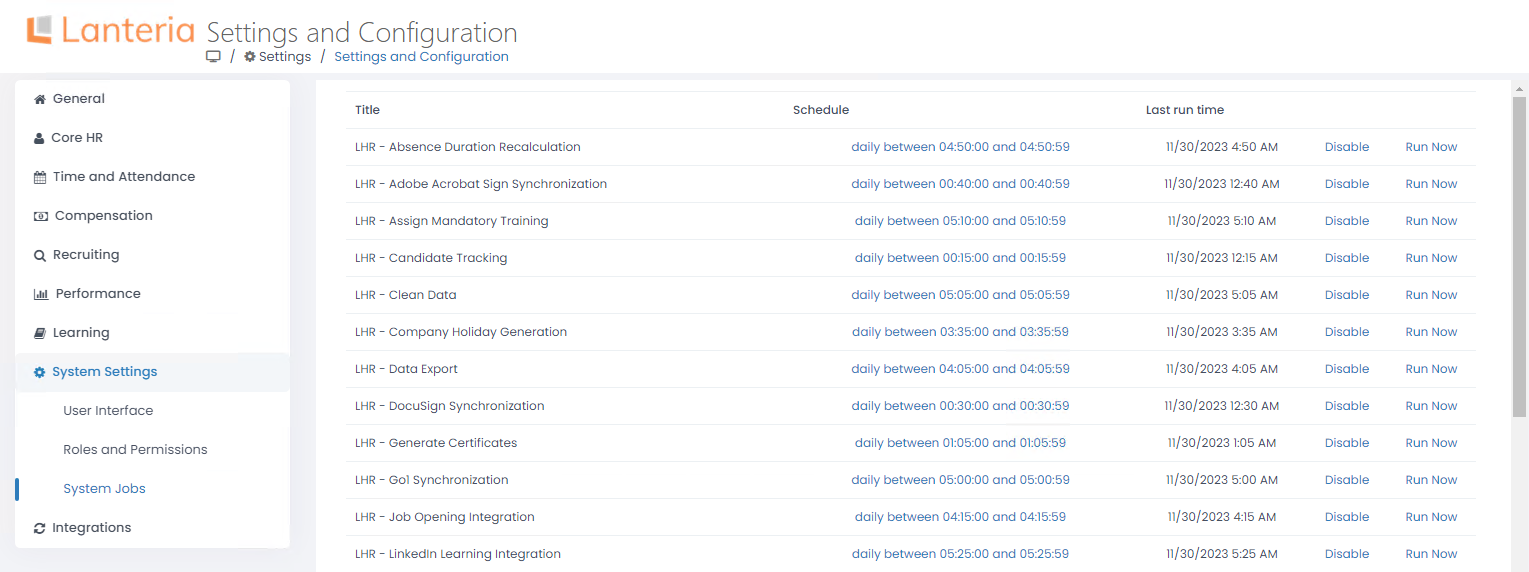
This section describes the Lanteria HR timer jobs that can be managed from Settings > Settings and Configuration > System Settings, System Jobs. For each job, you can:
View the time when the job is scheduled to run.
NoteIf you manually change the system job schedule in the SharePoint Central Administration, deploying a new Lanteria HR version will not override your custom settings. The default system job schedule is used only if it has not been customized.- Check the date and time the job was run last time
- Click Disable to deactivate the job or Enable to activate it
- Use the Run Now button to run the job
To learn more about the system jobs, refer to the following articles: