- Log in to SurveyMars and navigate to My Surveys.
- Click the New Survey button.
- Choose the survey type on the left panel. In the current example, we will use the "Online Quiz" survey type.
- Enter the survey title, for example, "My first Quiz", and click Create Online Quiz.
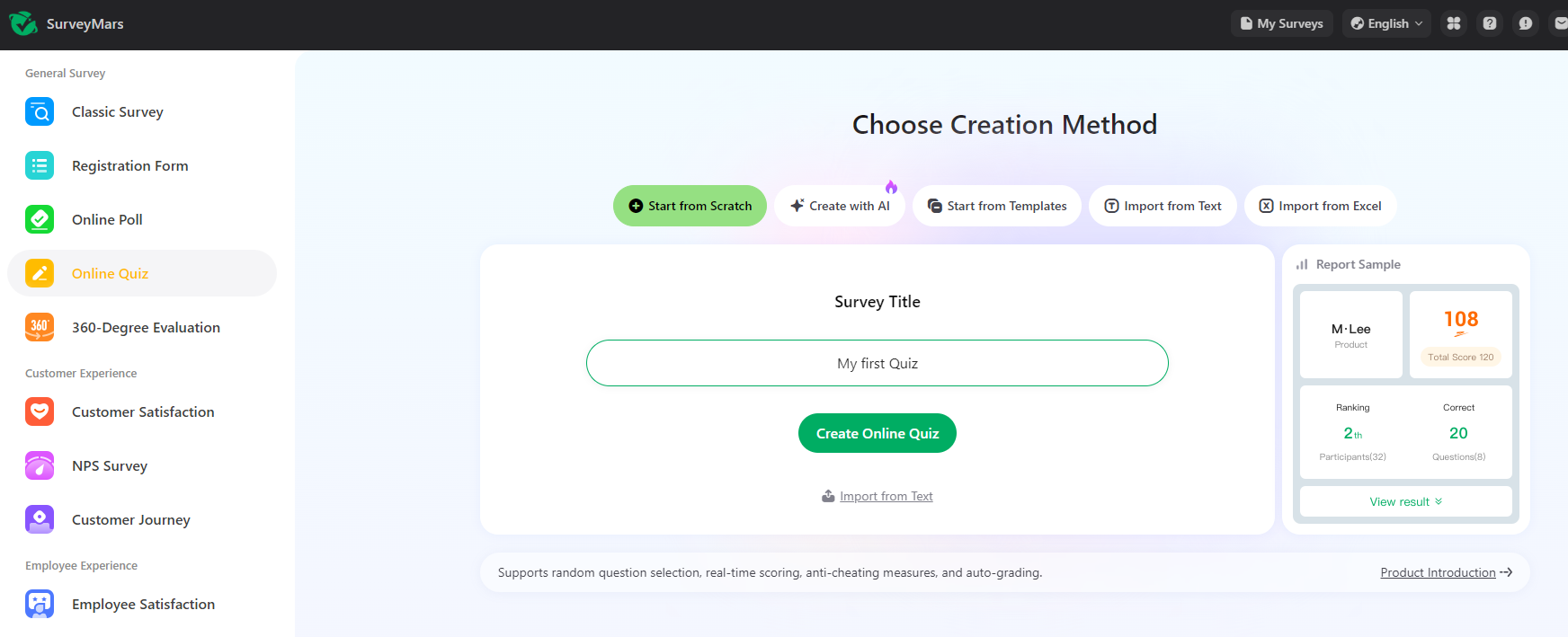
Once a new survey is created, you will be redirected to the Survey Designer, where you can start building the survey.
In the navigation panel on the left side of the page, the user can add actions and configure them.
Since the survey type is a quiz, questions with answer options will be added. Click the True/False question type.Enter the question, for example, "The blue whale is the largest animal to have ever lived", hower the correct answer (True) and check the Correct Answer checkbox.
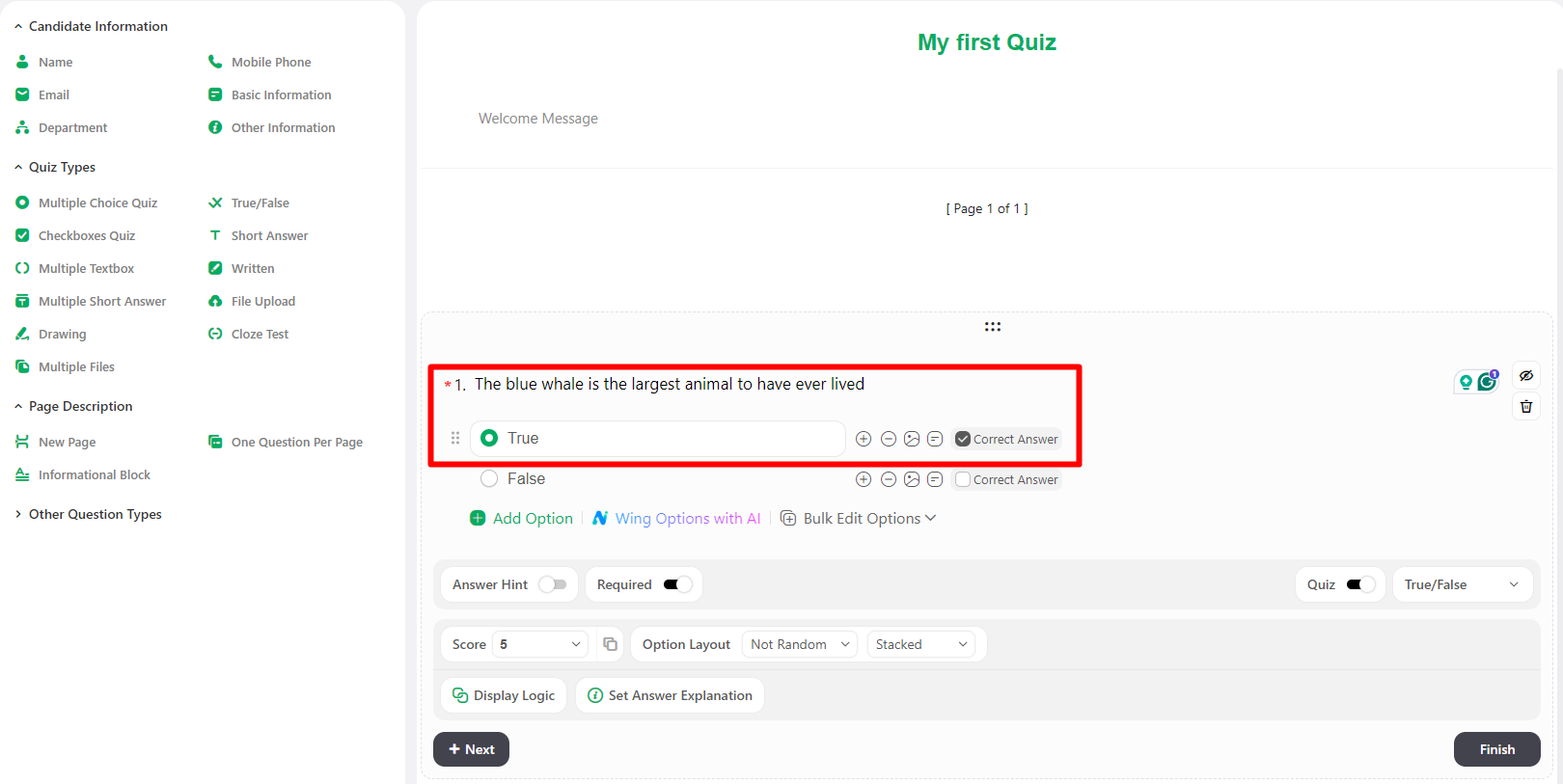
You can add more questions with different types to your quiz by pressing the New Questions button and selecting the question type.
More details available on the SurveyMars official documentation.After you finished adding questions, click the Go to Share button.
Click "Go Share" button under the Website Embed option
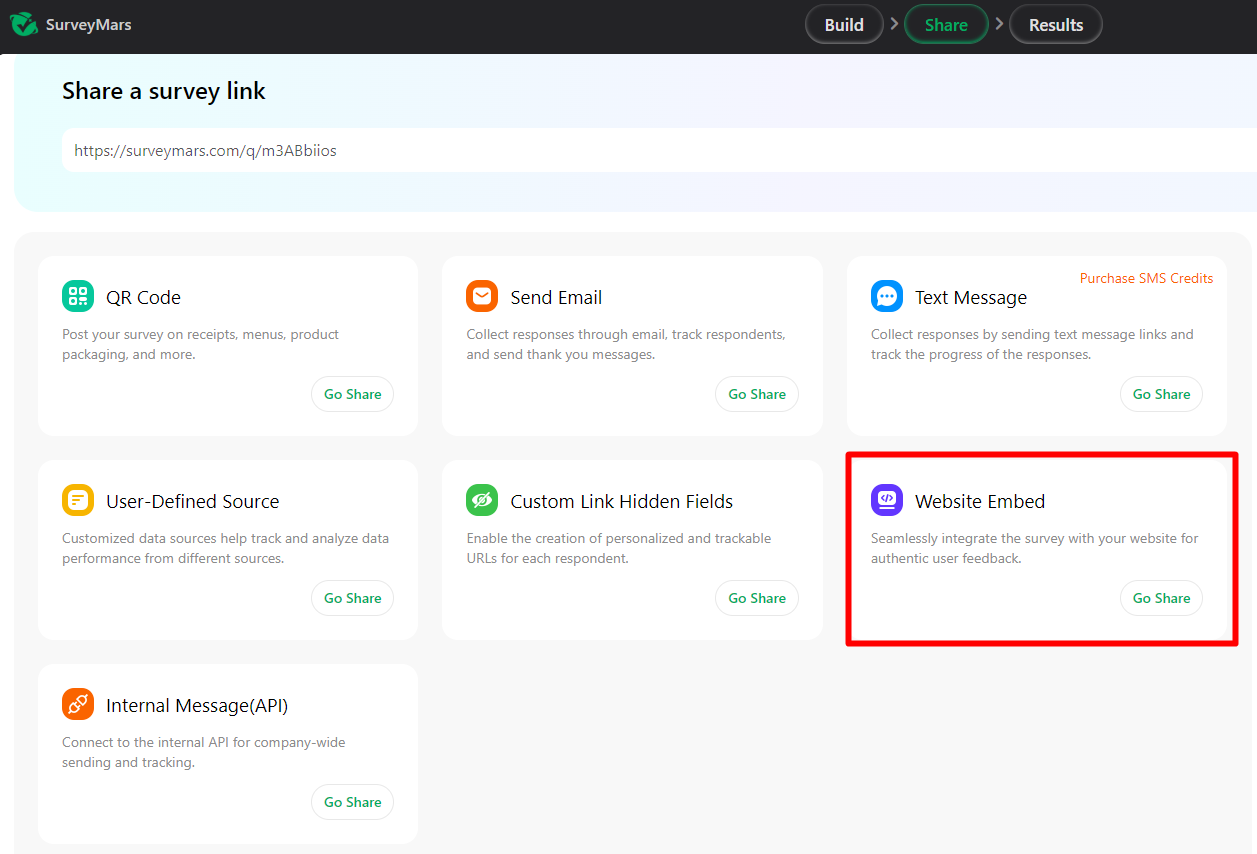
The survey is successfully shared and is now available for HRs in Lanteria under Core HR -> Surveys
Create a simple survey and publish to Lanteria
- Published on Feb 2, 2026
- 1 minute(s) read
Was this article helpful?