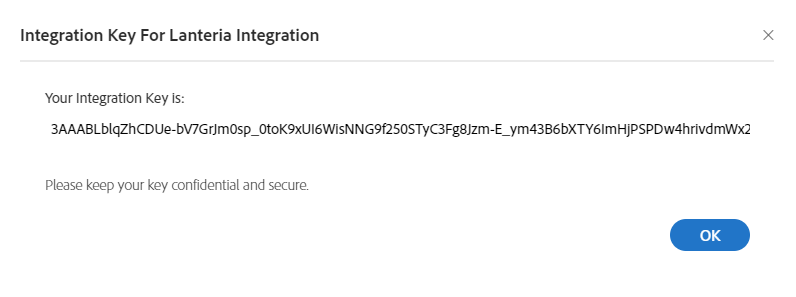
First of all, create an integration key that will be specified in the Lanteria HR settings. Such key can be generated from your Adobe Acrobat Sign account. Follow these steps for the key generation:
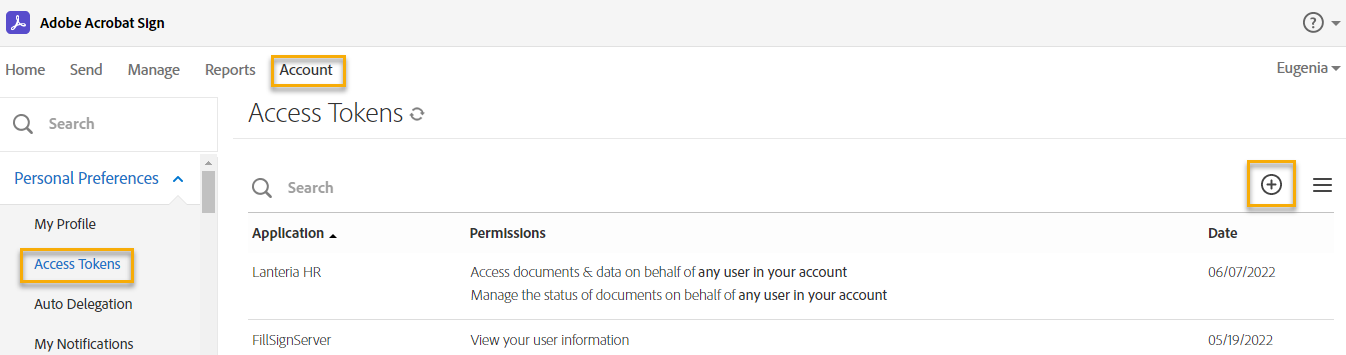
- Log in to your Adobe Acrobat Sign account.
- Click Account > Personal Preferences > Access Tokens.
- Next, click the Create Integration Key icon.
- On the Create Integration Key page, select the agreement_read and agreement_write check boxes.
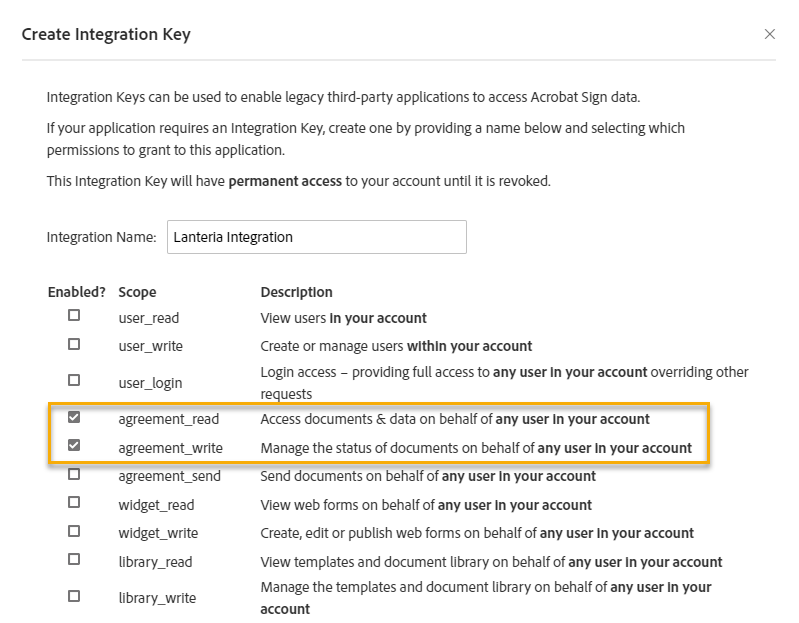
- Click Save.
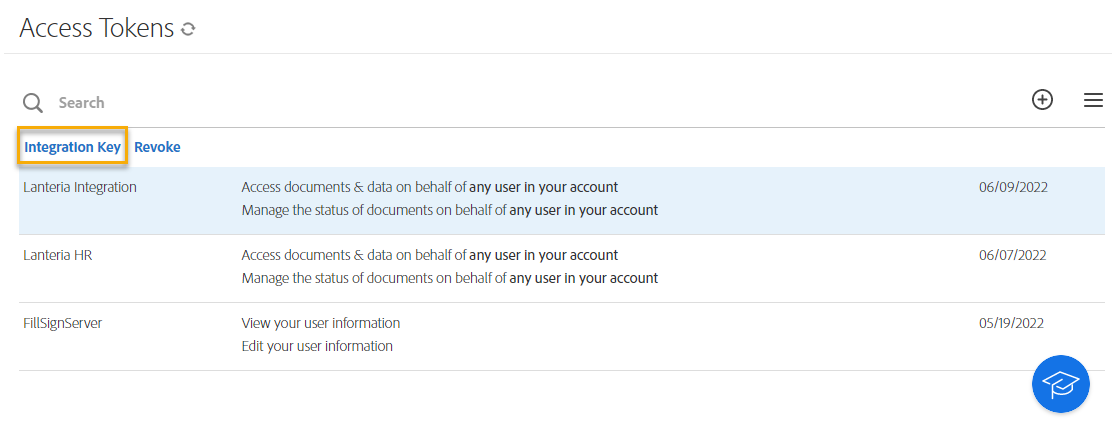
- Next, under Access Tokens, click the generated key name and then Integration Key.
- Copy key for further setup in Lanteria HR.