A new page is now available for HRs. HR can manage surveys from Core HR → Surveys.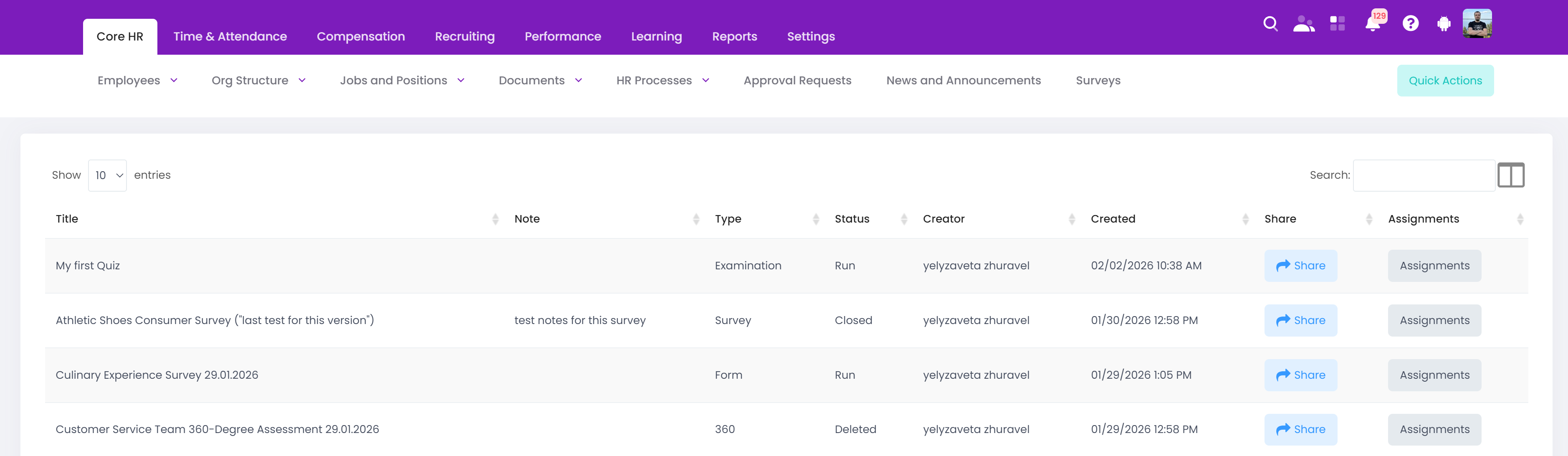
There are 3 statuses available for surveys:
Run (Active status on SurveyMars site). The survey is active and available to share with employees and collect results.
Closed. The survey is no longer active for employees, and it can't be shared.
Deleted. The survey was removed from the surveys list at SurveyMars, and it can't be shared.
The Creator column lists the users who created and published the survey. Within the SurveyMars free plan, a user can add one additional administrator to the same account. The added administrator has access to the same functionality as the primary account owner. As a result, surveys may be created and managed by either the account owner or the additional administrator.
The Share button opens a dialog window that allows you to choose who to share the survey with. A survey can be shared with certain employees (selected in the "Employees" field) or with multiple employees based on their company, country, location, organizational unit, or working group.
The Assignments button opens a list of employees who have been assigned to the survey. The dialog window displays the employee’s name, organizational unit, and job role.
Once the survey is shared with employees, they will receive the following notification: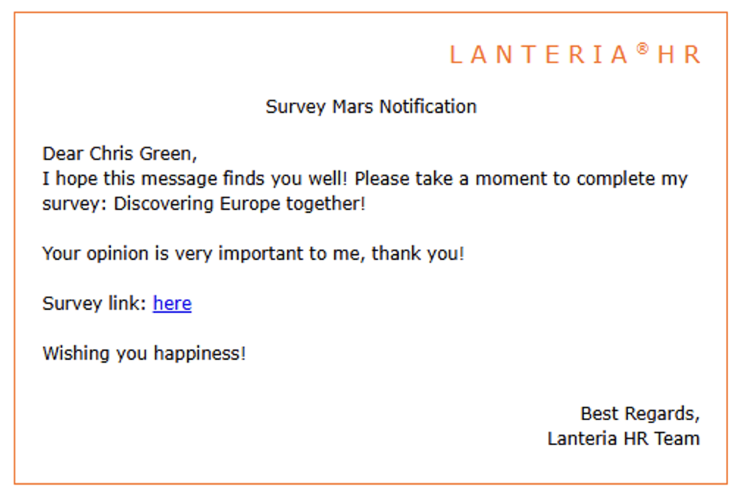
The notification template can be changed in the Email Templates setting in General Settings -> Notifications and Reminders -> Advanced.
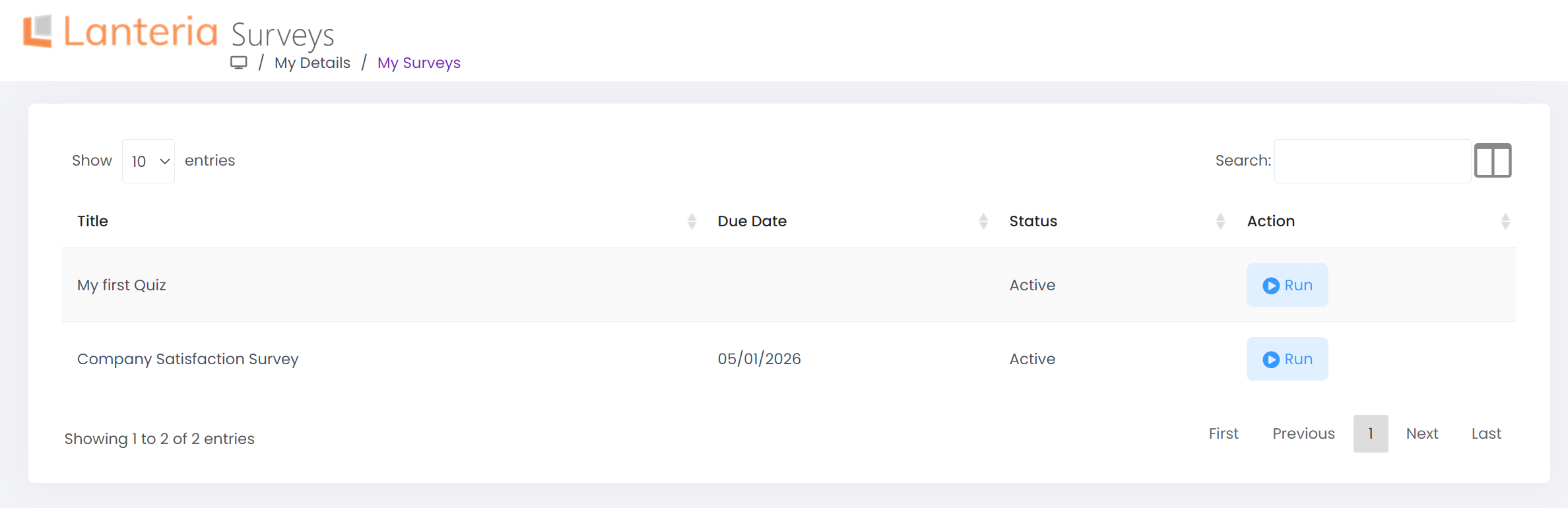
All assigned surveys are available to employees on the My Details -> My Surveys page, under the Tasks Requiring My Action and “Notification Bell”.