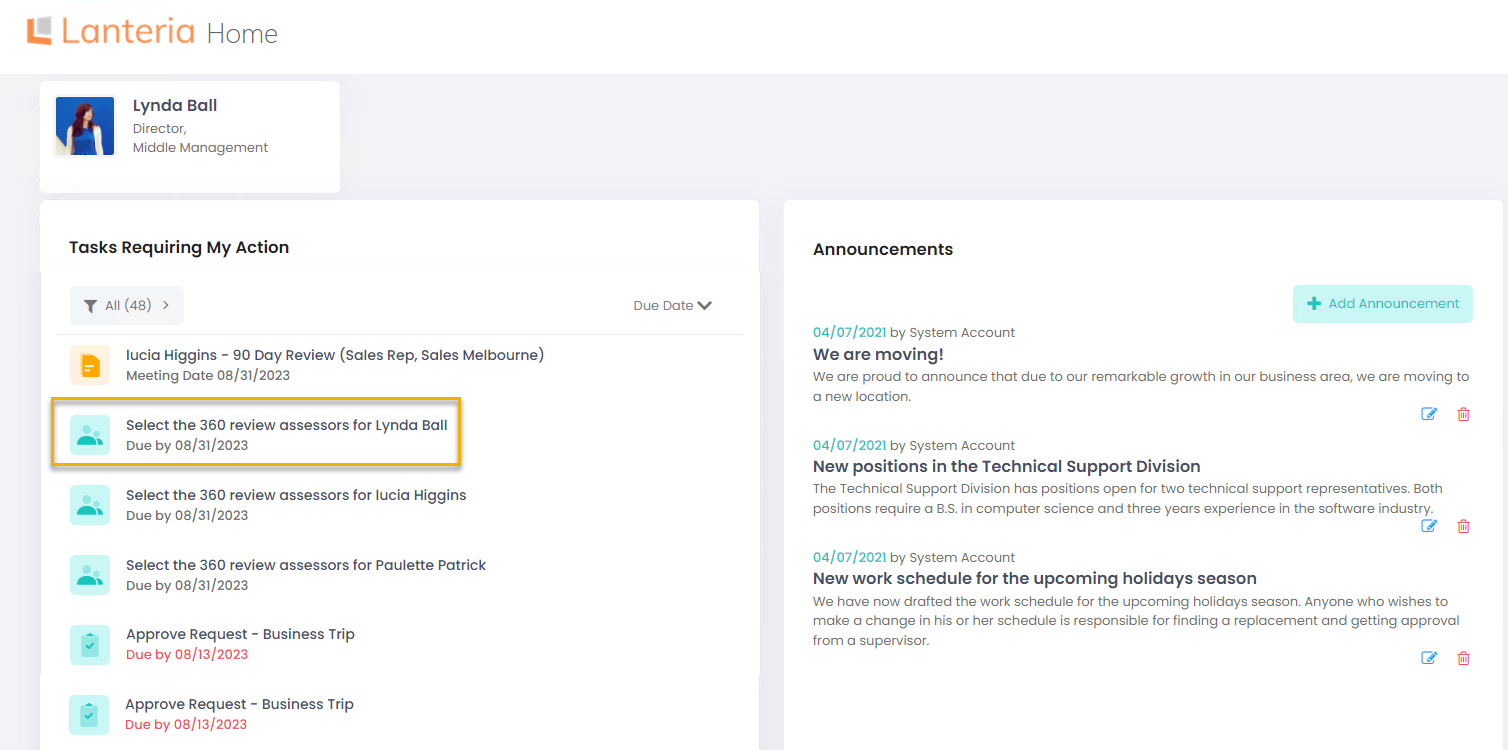
If the processes of your company assume that employees suggest assessors for the 360 review, as soon as HR requests you to select the assessors, you'll receive a notification and the request will be displayed under Tasks Requiring My Action. You can also be asked to provide assessors for your subordinates. In this case, the task will also display under Tasks Requiring My Action.
To suggest the assessors for the 360 review, follow these steps:
- From the Employee menu, click the task name under Tasks Requiring My Action.
- Click the book icon to select assessors for Managers, Subordinates, Peers or any other assessor groups defined by your HR.
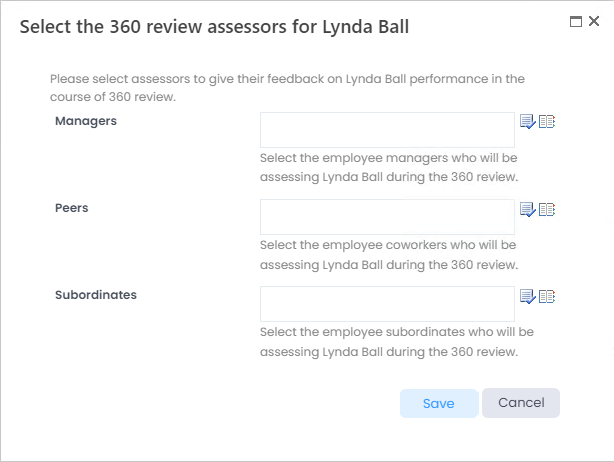
- Click Save when all the assessors have been selected.