Integration configuration:
- Navigate to SurveyMars and create a new account. Verify your account through the verification code received via email.
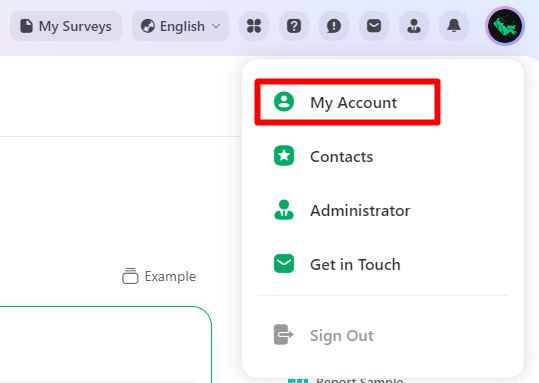
- Log in to SurveyMars and click on "My Account".
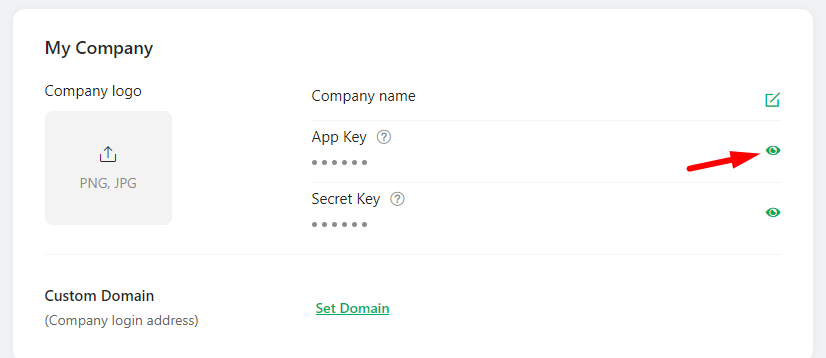
- Click on the view icon near the App Key under the My Company section.
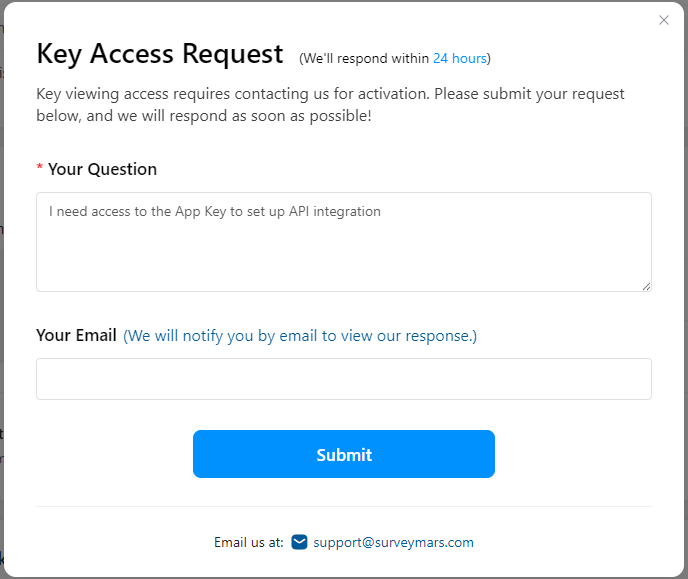
- Submit the Key Access Request and wait until it's approved.
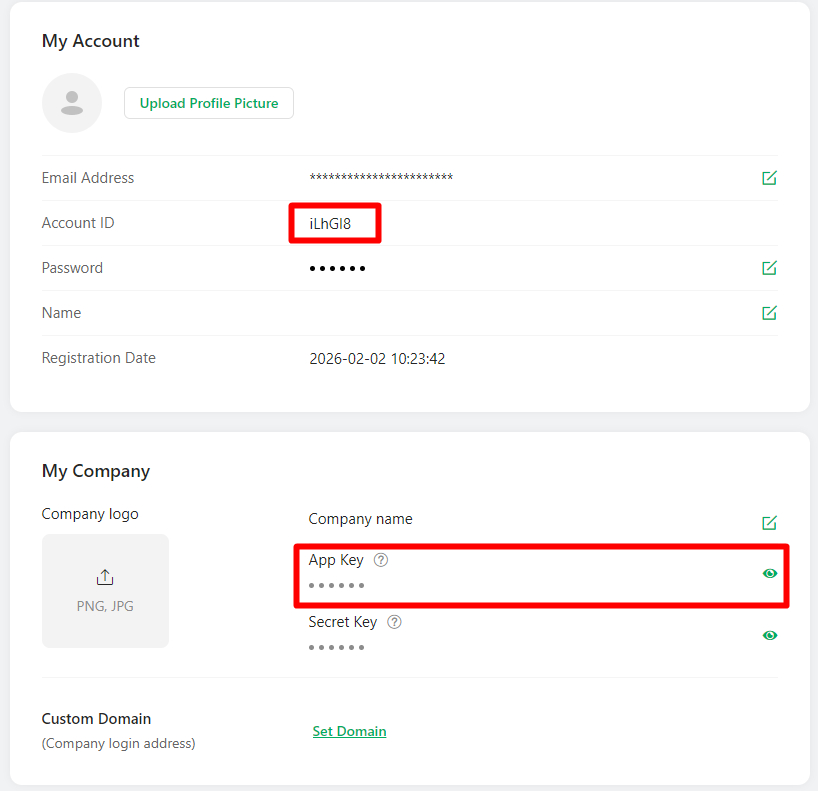
- Once the access to the App Key is approved (you will receive an email from SurveyMars), go back to the My Account page and copy the Account ID and App Key values.
- In Lanteria HR, go to Settings -> Settings and Configuration -> Integrations -> Survey Mars integration.
- In the API Base URL field, type https://api.surveymars.com/v1 Notice for Asia-Pacific customersIf your SurveyMars account belongs to the Asia-Pacific region (Australia, Singapore, etc.), you need to use https://api-ap.surveymars.com/v1 for the API Base URL
- In the Account ID and App Key fields, type the values obtained on the My Account page in Survey Mars.
- In the Self-Service Site URL, type the address of your Lanteria candidate self-service site.Self-Service Site URLIt is used to update the Survey status under the Tasks Requiring My Action once employees complete the survey.
- Click the Apply Changes button.